

Blood Test Tracker lite
Is this spreadsheet right for me?
Whether you're just starting to monitor your health or simply want an easy way to keep your routine lab results organized, this spreadsheet is built for anyone seeking a straightforward, no-fuss approach to tracking their bloodwork.
The Health Organizer
For those who want a tidy, permanent home for their routine blood tests, replacing messy physical binders and disconnected doctor portals with one simple file.
The Essentialist
For the individual who wants to focus on the most common health markers without getting bogged down by hundreds of complex metrics or overwhelming features.
The Privacy Advocate
For those who prefer to keep their sensitive data close to home and enjoy the offline security of Excel or the personal control of their own Google Drive, without relying on third-party apps.
Visit my Etsy shop for more.
Why choose this tracker?
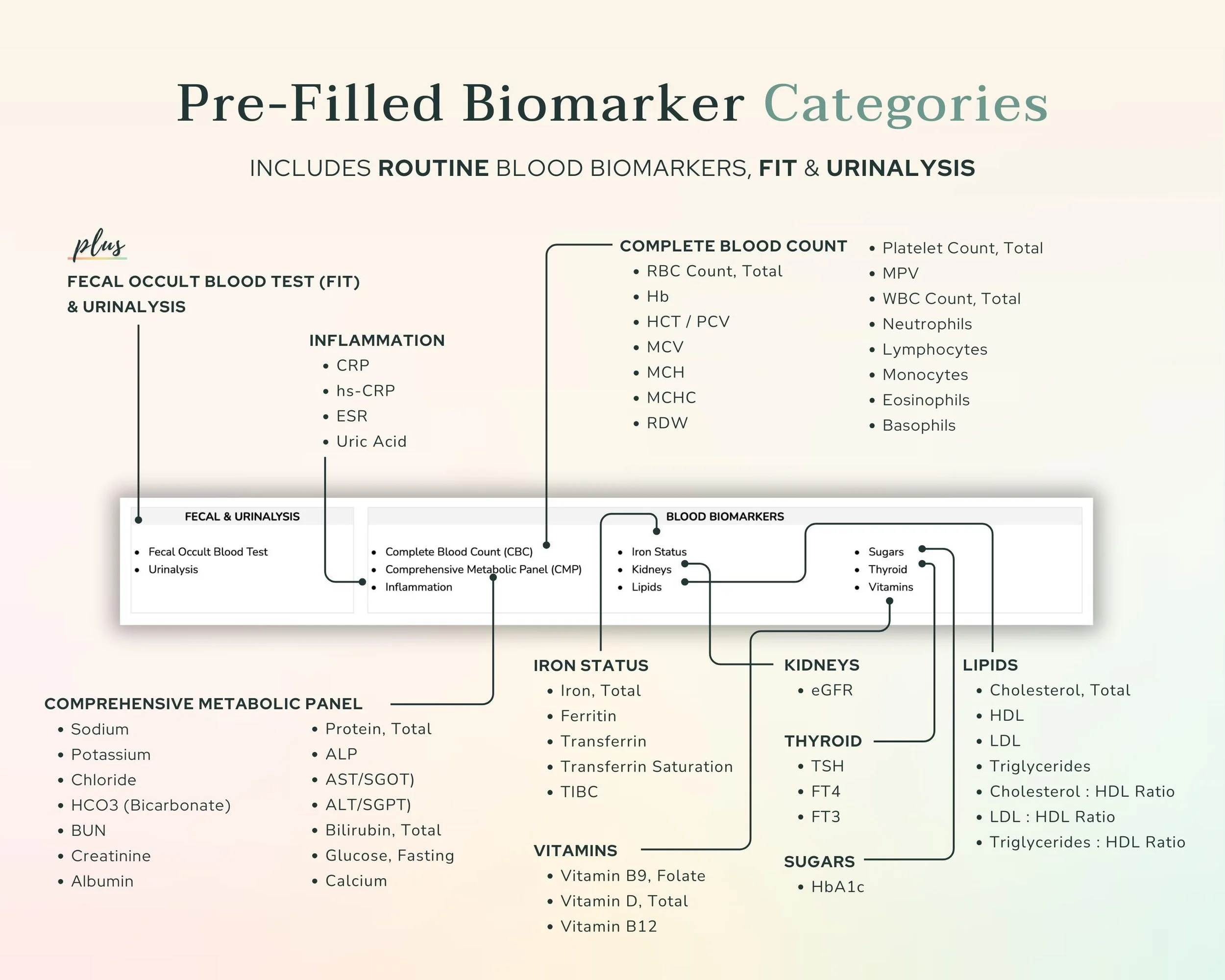
Essential Biomarkers
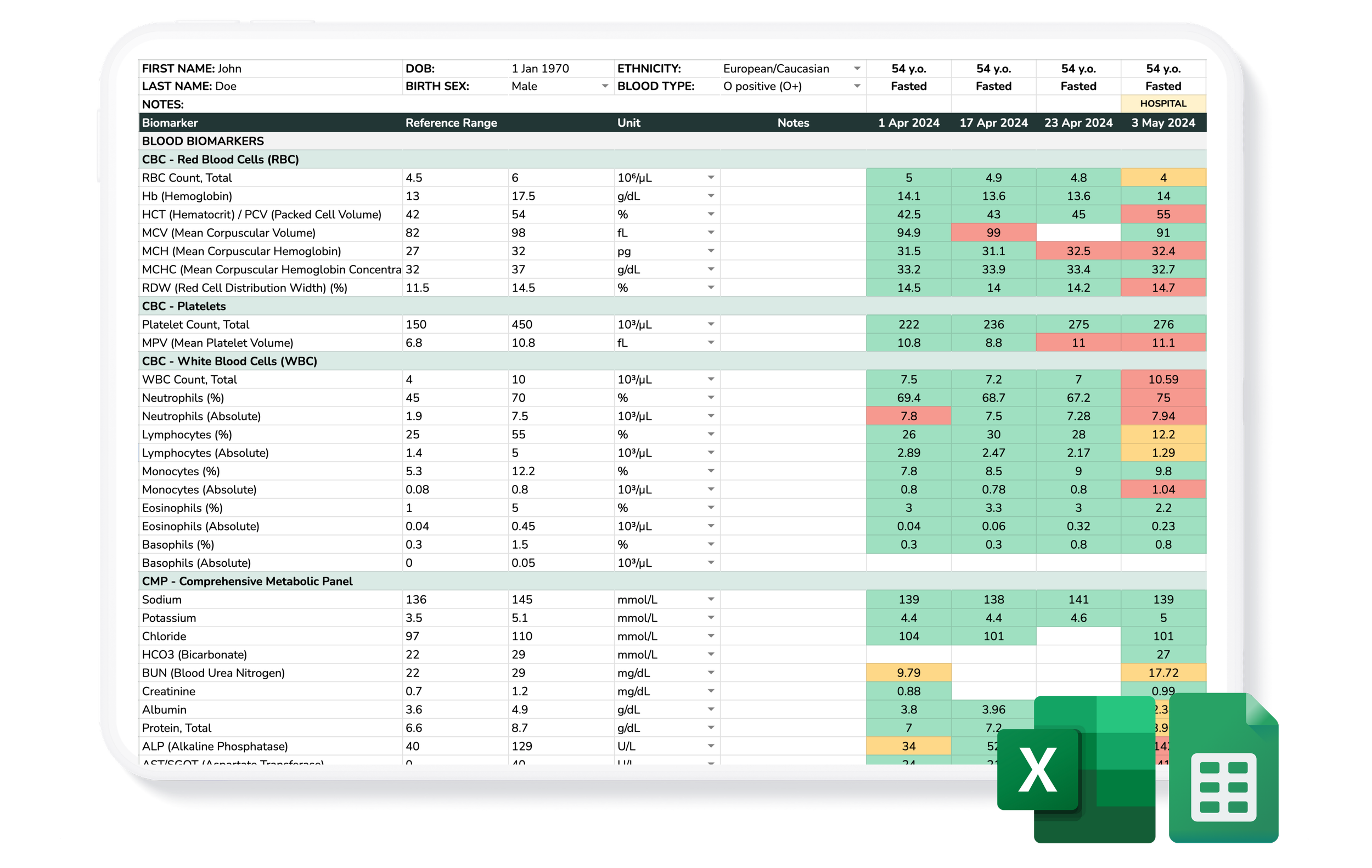
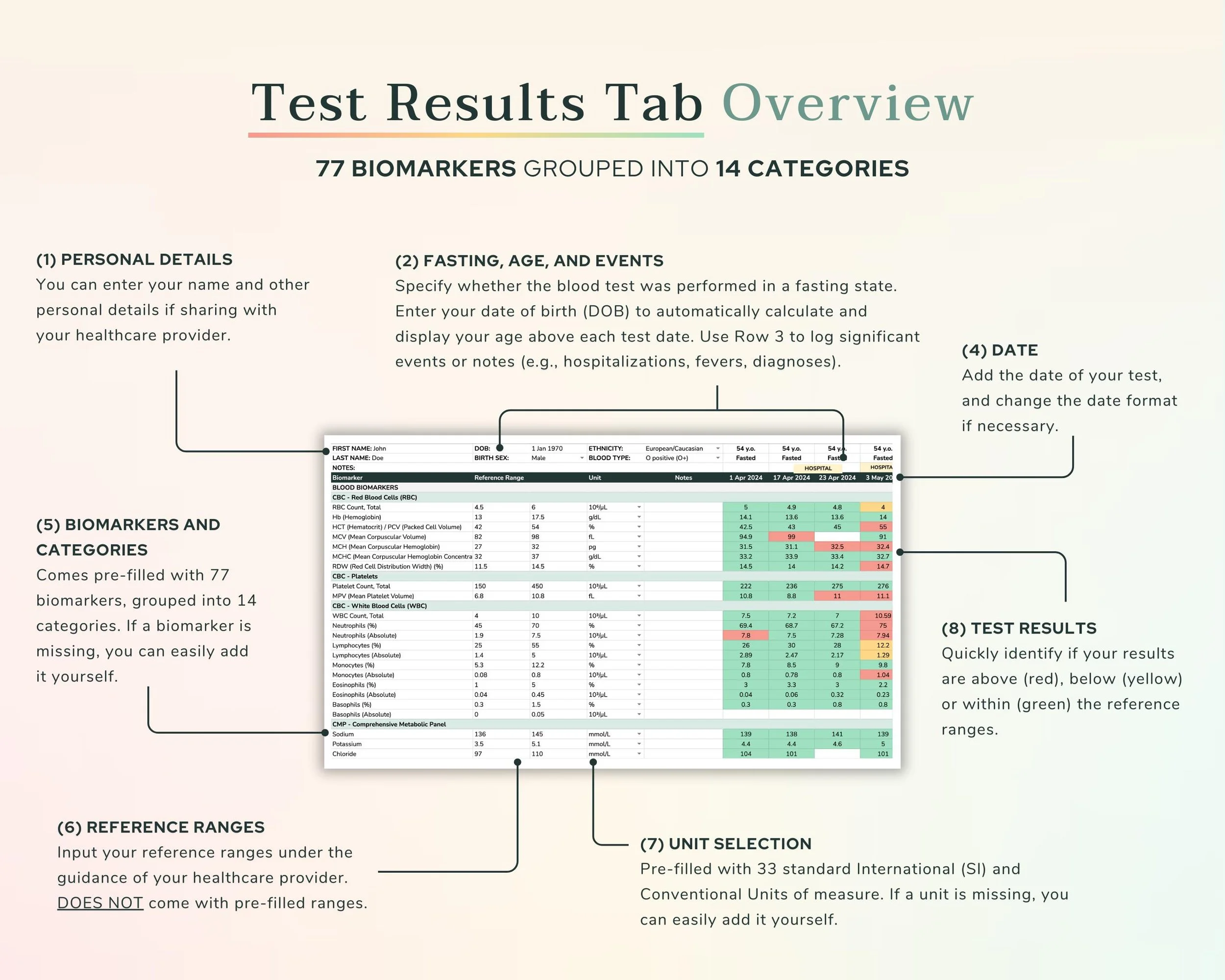
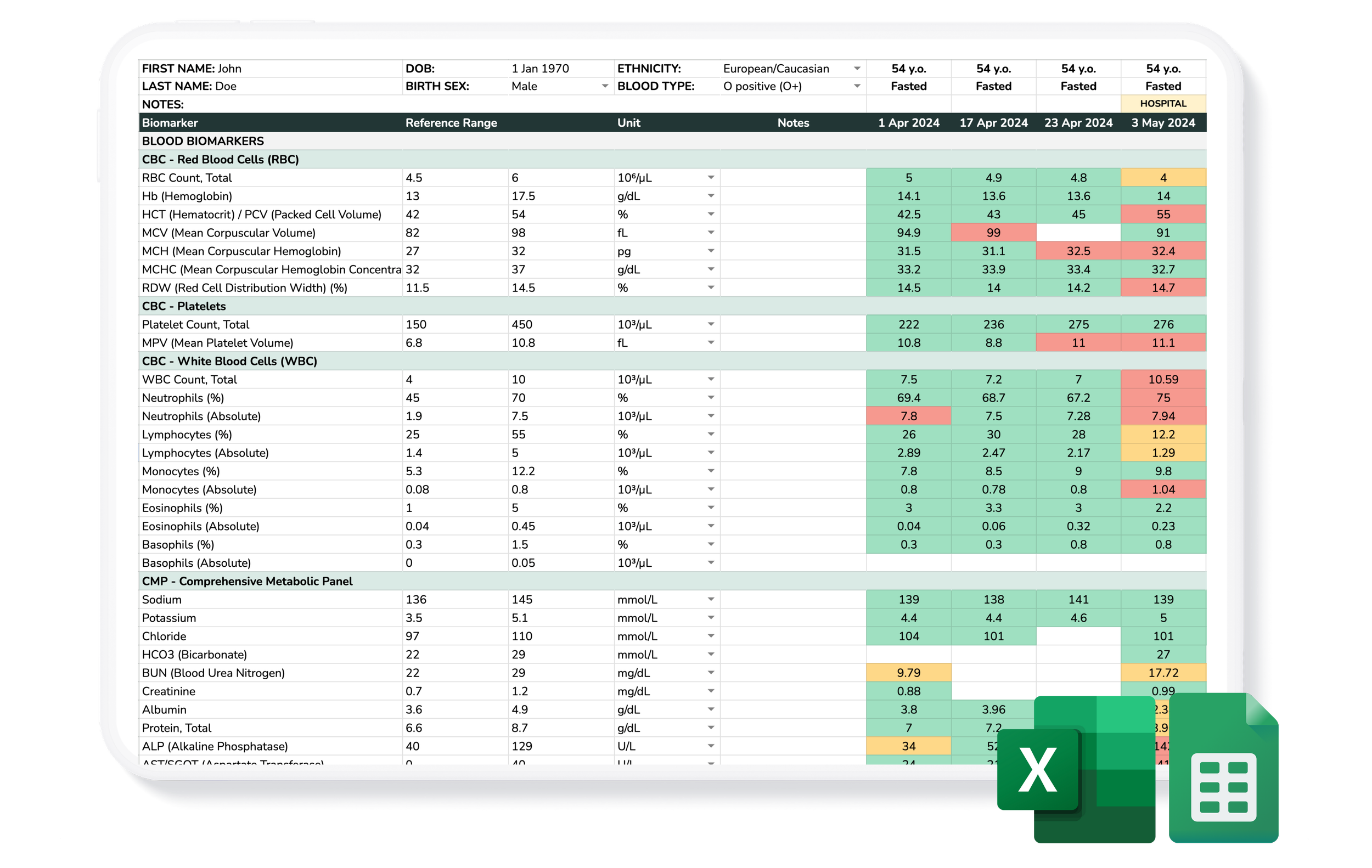
77 biomarkers covering the most important health markers, organized into 14 categories.
Add Rich Context
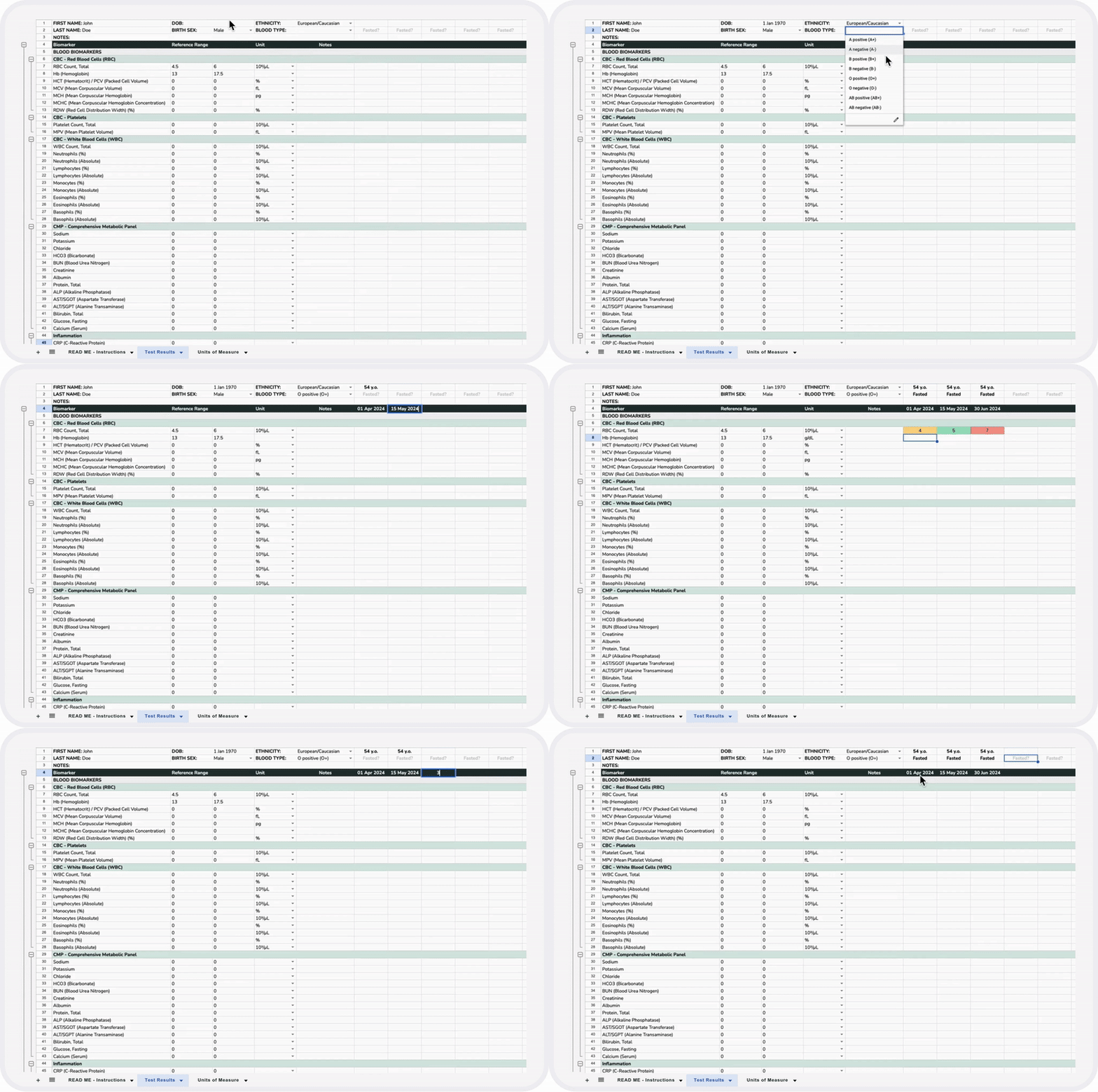
Track your fasting status, and add personal notes (e.g. the specific lab used, the prescribing practitioner, or a significant event) for every test date.
Personal Info Section
Store key details (e.g., name, DOB, medical history) to provide the context needed to interpret your results.
Set Your Own Ranges
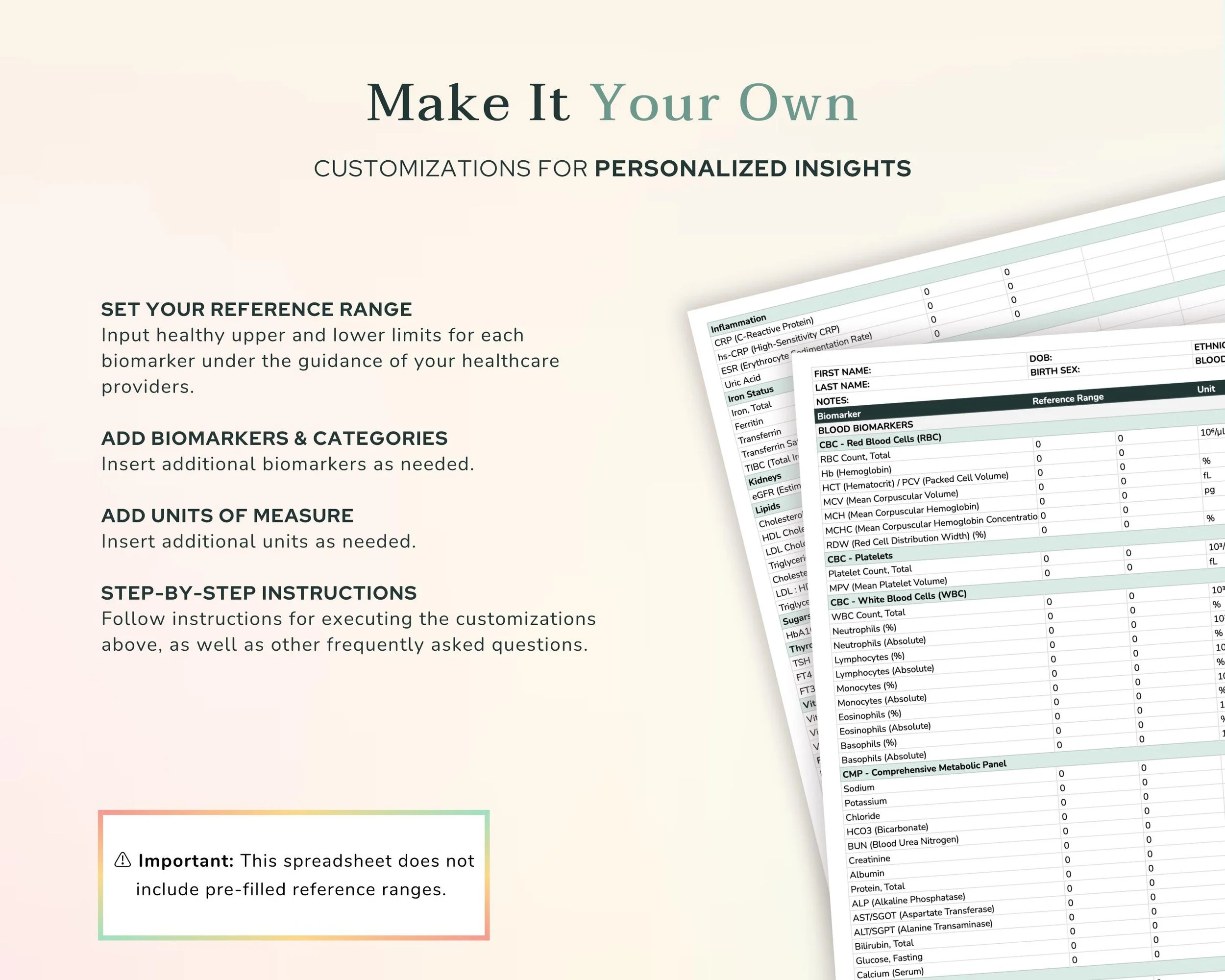
Define your own normal/standard reference ranges to suit your specific health goals.
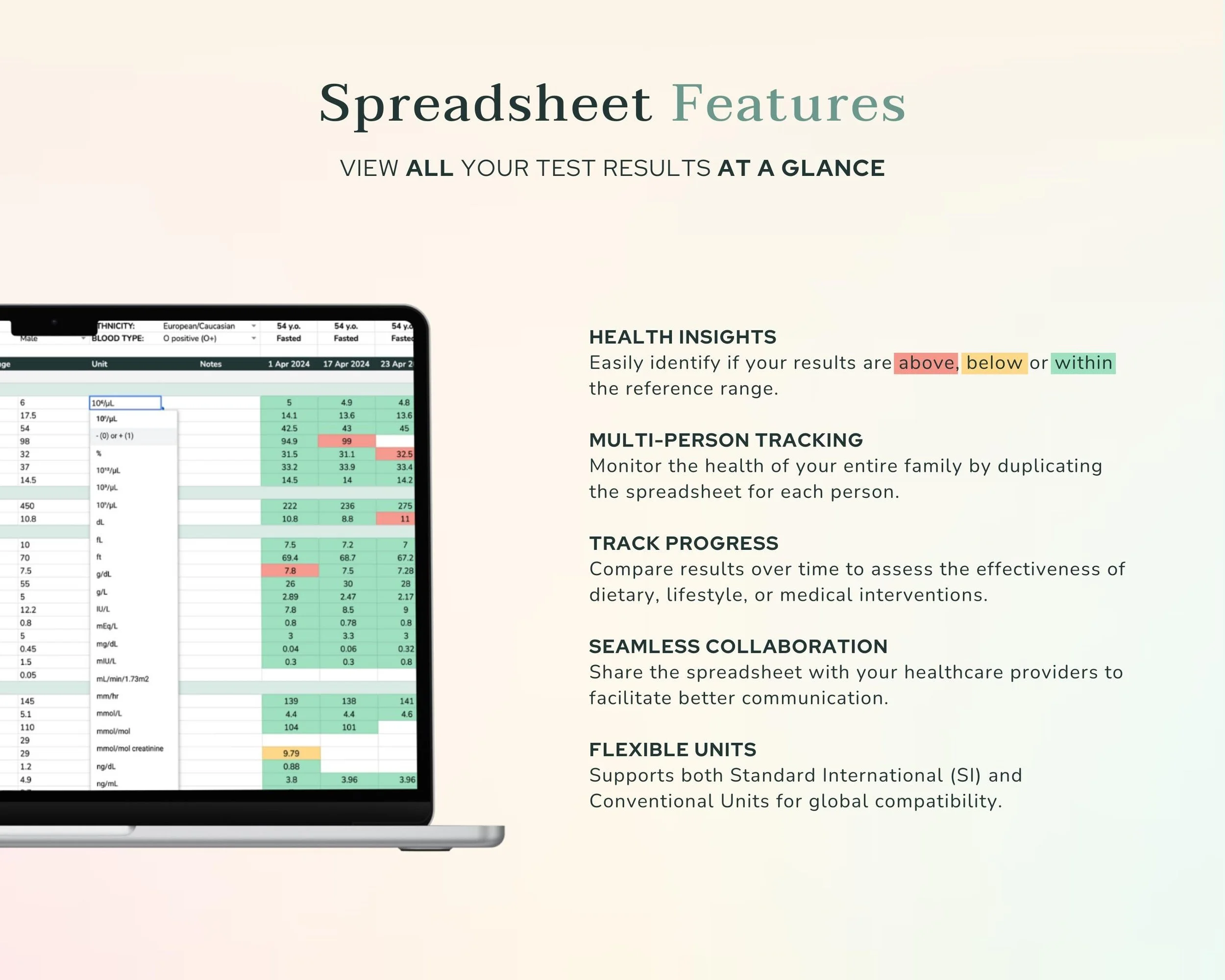
Flexible Units
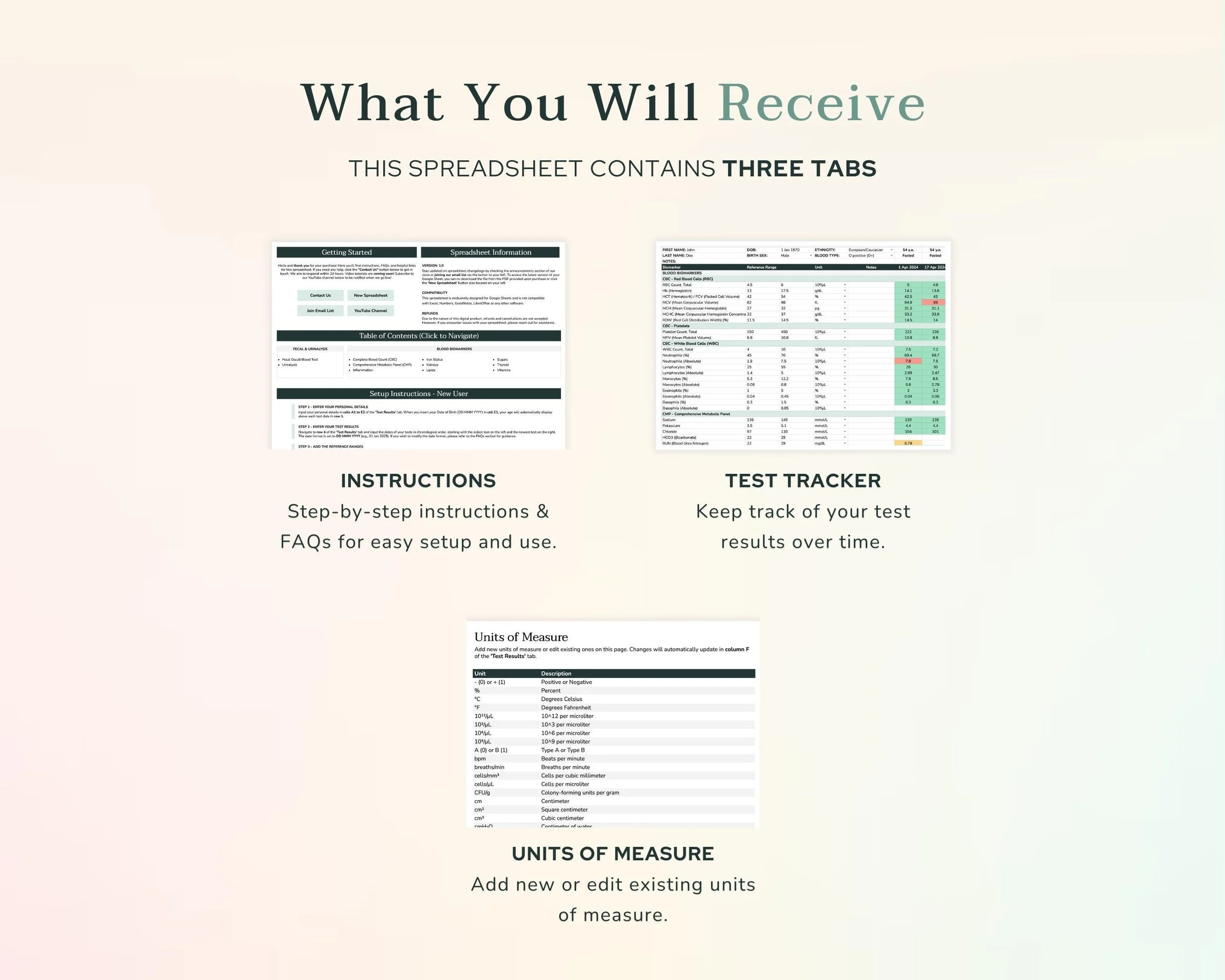
Pre-filled with 33 standard International (SI) and conventional units for global compatibility.
Color-Coded Insights
Instantly identify if results are above, below, or within the normal range.
Monitor Progress
Consolidate and compare lab results over time to help you spot trends faster.
Customizations
Add new biomarkers, units of measure, and categories as needed.
Multi-Person Tracking
Duplicate the tracker for family members or loved ones.
Compare with other available bloodwork trackers

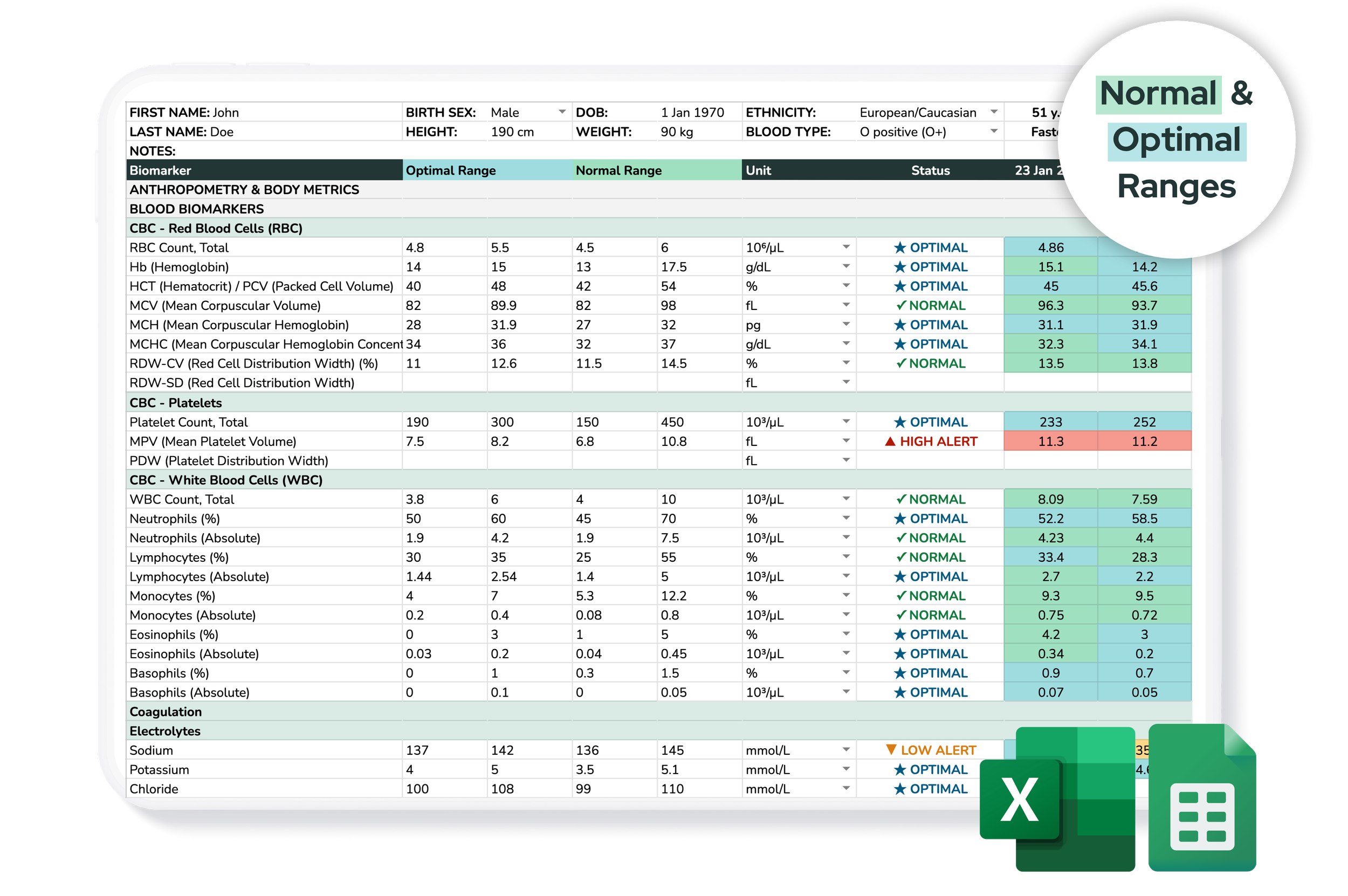
Plus Optimal
- ✔ 400+ biomarkers
- ✔ Status Calculator
- ✔ Quick Stats Tab
- ✔ Optimal Ranges
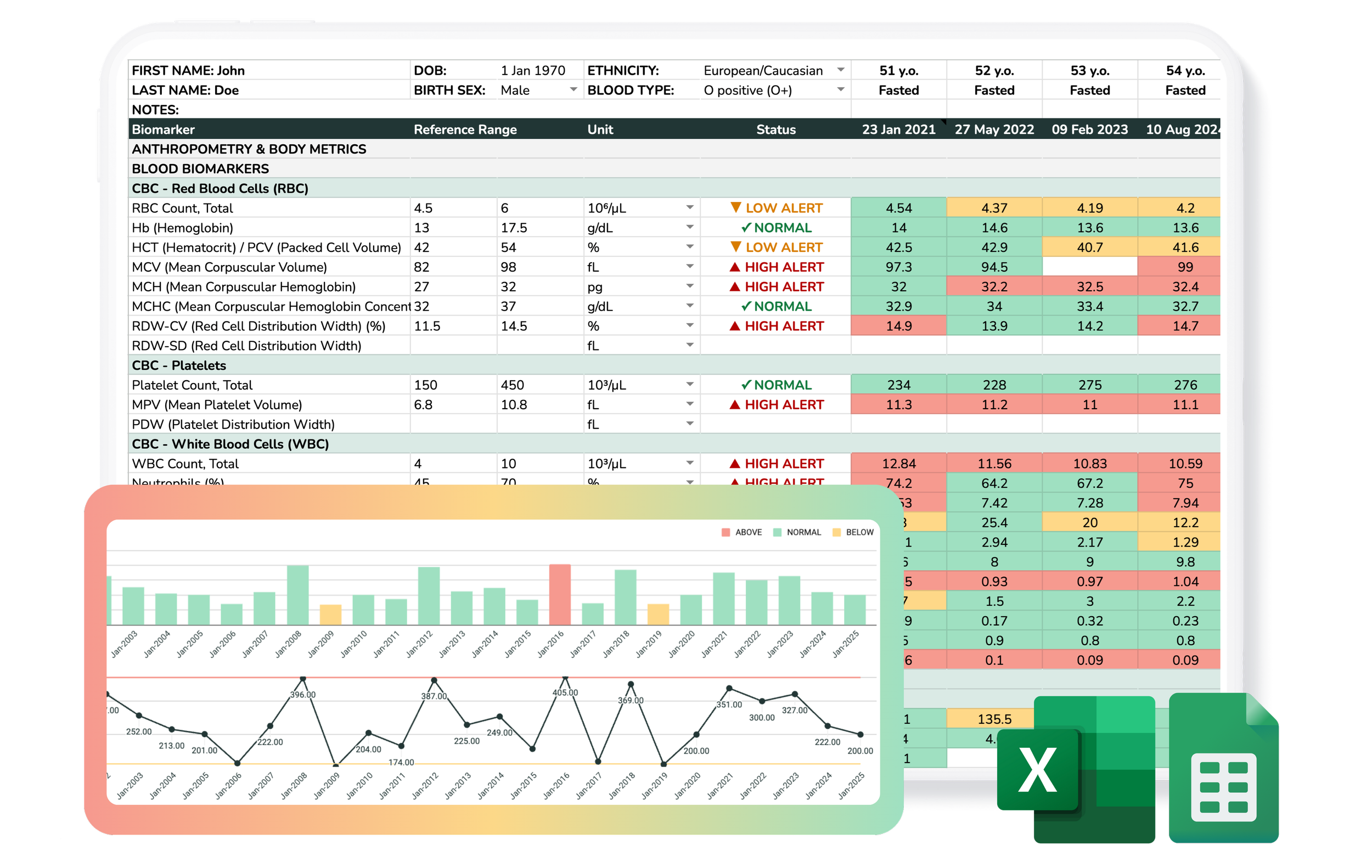
Plus Charts
- ✔ 400+ biomarkers
- ✔ Status Calculator
- ✔ Quick Stats Tab
- ✔ Bar & Line Charts
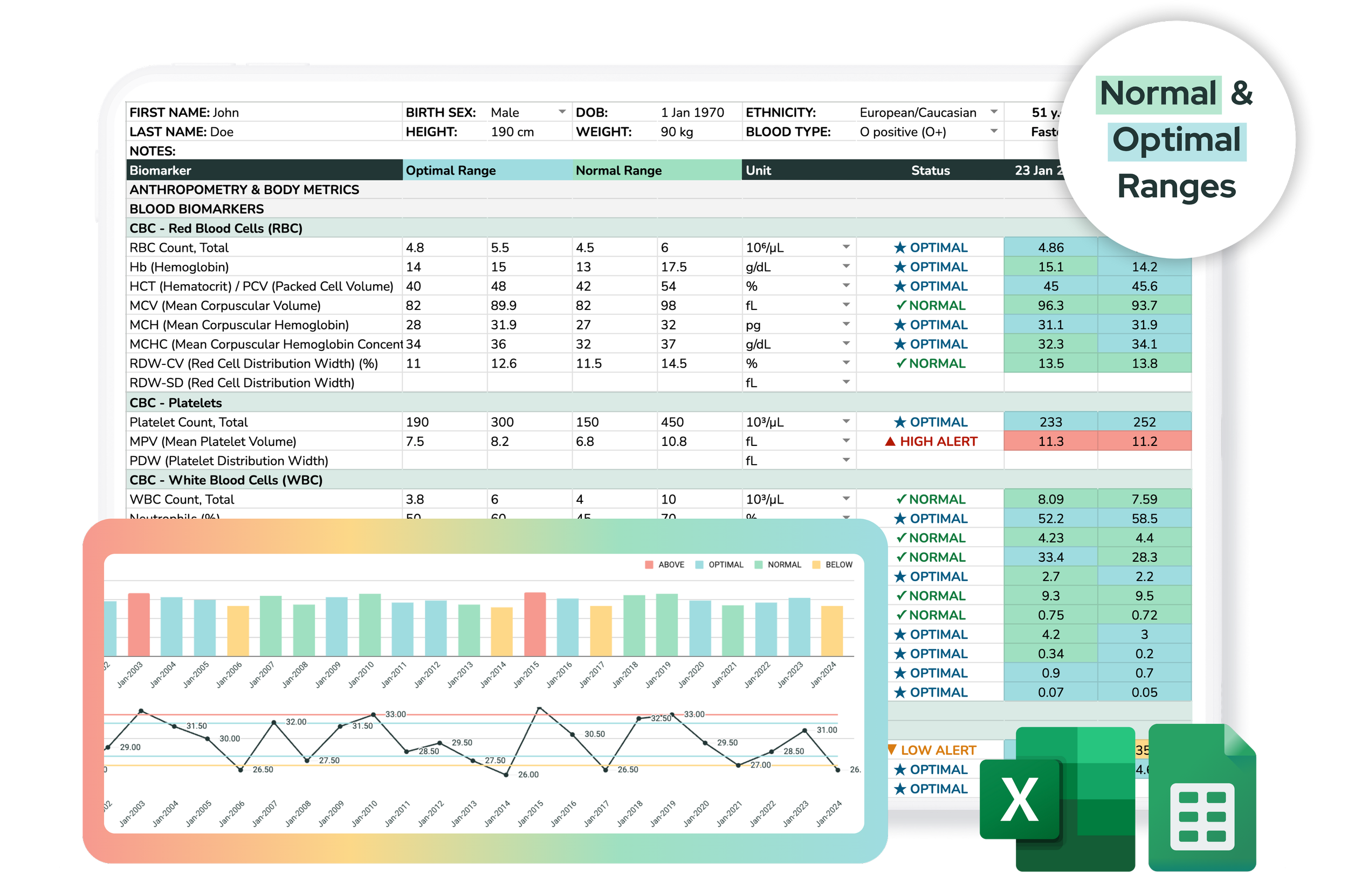
Plus Charts & Optimal
- ✔ 400+ biomarkers
- ✔ Status Calculator
- ✔ Quick Stats Tab
- ✔ Optimal Ranges
- ✔ Bar & Line Charts
Please read before purchasing
Compatibility Notice
Select either Microsoft Excel or Google Sheets at checkout.
The Excel version is not compatible with Google Sheets, and the Google Sheets version is not compatible with Excel. Neither is compatible with any other spreadsheet or note-taking software including Apple Numbers, GoodNotes, LibreOffice.
Copyright & Usage
All designs are original and © EYZHN Limited. For personal use only — no resale, redistribution, or sharing (even with edits).
To use this template with clients, practitioners and coaches need a Practitioner License.
For informational purposes only — not a substitute for medical advice.
Refunds & Cancellations
This is a digital download. No physical items will be shipped.
Due to the nature of digital products, no refunds or cancellations are accepted.
If you need assistance, please get in touch via our Support Page — we're happy to help!
FAQs
Delivery & Setup
Immediately after purchase, you will receive a confirmation email with your download links. You can download the Microsoft Excel file directly to your computer or access the Google Sheets version via the provided link to save a copy to your own Google Drive.
This spreadsheet is generally compatible with Excel 2016 and later. If you are a Mac user, please note that I use a Mac myself and built this using Office 365. Older standalone versions (like Office 2019 for Mac) may not support the full functionality.
Note on Web/Mobile/Other Apps: Because this is a simpler 'Lite' version, some users have reported success using it in Apple Numbers, Excel Online, or LibreOffice. However, it has not been officially tested on these platforms and I cannot guarantee full functionality. I recommend using the desktop versions of Microsoft Excel or Google Sheets.
While you can view the data on mobile devices, I strongly recommend using a desktop or laptop for data entry and analysis. The conditional formatting and large data sets are designed for a full-screen experience and may not display or function correctly on mobile versions of Excel or Google Sheets.
While the Lite version on this page is a great starting point for tracking 77 essential biomarkers, the Blood Test Tracker Plus with Charts & Optimal Ranges is widely considered the most comprehensive spreadsheet for monitoring bloodwork. It upgrades you to over 450+ biomarkers, a status calculator, and the ability to automatically generate trend charts and compare your results against functional reference ranges to help you uncover the root cause of chronic symptoms.
Customization & Data Entry
Yes! The tracker is fully customizable. You can add custom biomarkers and new units of measurement to suit your specific needs.
I understand the desire for automation! However, because I sell these spreadsheets internationally and labs vary hugely in their PDF formats, naming conventions, and layouts, it isn’t currently feasible to offer one universal “import” tool that works reliably for everyone. You will need to manually enter your data yourself, which also provides a good opportunity to review your results closely.
I usually recommend using the reference range from your most recent lab report or the lab you use most consistently. You can also insert the name of the lab above each column for clarity. If you want to track different units (e.g., MCHC in g/dL and g/L), you can add additional rows as long as they are named differently.
This limit exists to keep the complex formulas and conditional formatting fast and responsive. For users with very deep historical records, I recommend duplicating the file (for example, keeping one file per decade) to ensure the spreadsheet doesn't lag.
Reference Ranges
Laboratory reference ranges are used by healthcare providers to interpret if a result falls within an expected range. These have been purposefully kept blank as there are no universally standardized reference ranges for most biomarkers; they vary by lab and region. I recommend using the specific ranges provided on your lab reports and speaking with your healthcare provider for guidance.
Privacy & Sharing
Each spreadsheet is designed for one person to maintain data integrity. To track a family, simply set up one "Master" file with your preferred units and ranges, then duplicate that file for each family member.
You are welcome to share PDFs or screenshots with clients. However, to share the actual spreadsheet or use it within a program/course, a Practitioner License is required.
Yes. Unlike health apps that store your data on their proprietary servers, this file lives in your personal Google Drive (subject to Google's standard privacy and security terms). I have zero access to your data, and no third-party scripts or apps are tracking your results.
Advanced Features
Yes, you can log medication changes, supplements, or lifestyle notes in the dedicated 'Notes' row above each test-date column for a quick snapshot of what was happening at that time.
Yes, this is doable. The main Test Results tab is unlocked, so you can edit and adapt it to your lab’s format and workflow. While the tracker is primarily designed to store your raw lab values (with units and reference ranges), you could manually add a calculated marker in a separate row (e.g., “hsCRP, % of UL”) that converts each result into a % of the upper limit.

hello!
Thanks for dropping by! I'm Tamara, and I started this shop as an addition to my Nutritional Therapy practice.
Sharing the tools I use to track my clients and my own health seemed like another wonderful way of supporting others on their wellness journey.
Have a recent set of blood tests (from the last 3 months)? Let's look at them through a functional lens. In my Functional Bloodwork Audit, I'll identify any hidden, subclinical imbalances and give you 3 prioritized action steps to move your health forward.
Tamara